
Home › Website Design & Development › Custom Software & Integrations
Custom Software and System Integrations That Remove Double Entry
Connect your website, shop, CRM, accounting and other tools so information moves automatically and stays accurate.
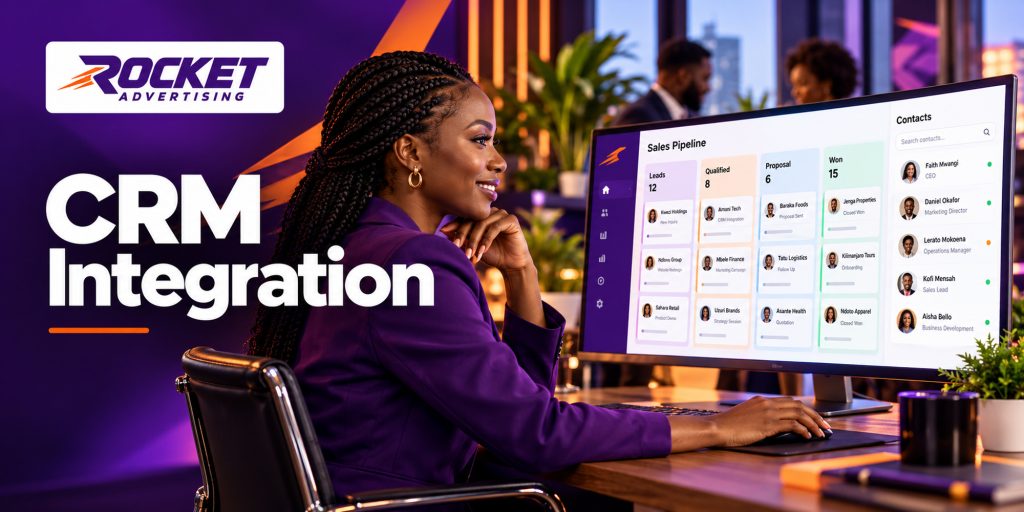
What Rocket provides
Most businesses run on several tools: a website, an accounting package, a CRM, a courier system and spreadsheets. Rocket connects them. We build integrations, small custom tools and automated data flows so that an order, enquiry or payment is captured once and appears wherever it is needed.
We prefer the simplest reliable approach. If a ready-made connector does the job, we use it; custom code is written only when it is the sensible option.
Who it's for
- Online shops that need to send orders to accounting or stock systems
- Sales teams that copy website enquiries into a CRM by hand
- Companies that want reports pulling from several data sources
- Businesses that outgrew spreadsheets but do not need a full system rebuild
It also suits companies preparing to adopt new software who want to move data across cleanly instead of starting from scratch.
Problems it solves
- Retyping the same data in different systems
- Stock or price differences between website and back office
- Leads lost because nobody copied them into the CRM
- Reports that take hours to assemble
- Software that cannot talk to another product
Integration also improves decision-making. When sales, stock and payments data are brought together, you spend less time reconciling figures and more time acting on them.
What's included
- Integration audit: which systems exist and how data should move
- Connections through APIs, webhooks or automation platforms
- Mapping of fields between systems
- Error handling and alerts when a sync fails
- Custom plugins or small services where no off-the-shelf connector exists
- Logging so that you can trace what moved and when
- Documentation of how each integration works
The finished work includes a diagram of what connects to what, a list of credentials and where they are stored, and a short guide to common failure messages.
Options
- Ready-made connectors configured for your tools
- Automation platform workflows for lighter jobs
- Custom-coded integrations for complex or high-volume needs
- One-way or two-way sync depending on which system is the source of truth
Related services are CRM and sales automation, marketing automation and AI business automation.
When two systems disagree, one must be the master. We help you decide which, so edits do not overwrite each other unexpectedly.
What you'll need to supply
- A list of the systems involved and the plan or edition you use
- Admin or API access, shared securely
- A description of the process in plain words, including exceptions
- Test data or a sandbox where possible
- Someone who knows how each system is used day to day
Where credentials are needed, we ask that you create dedicated integration users with limited permissions rather than sharing a personal login.
How the process works
- Map: draw how data should travel between systems.
- Check feasibility: confirm what each system allows.
- Build the connection in a test environment.
- Test with sample records, including bad data.
- Go live with monitoring and alerts.
- Review after a few weeks and refine.
Go-live is usually staged: a limited set of records first, then full volume once results are verified, which reduces the chance of large-scale errors.
What affects cost and timing
Cost depends on how many systems are connected, the quality of their interfaces, data volumes, the need for two-way sync and how many exceptions the process has. Some products limit what they expose, which may affect what is possible.
Third-party subscription or API fees are paid to those providers. We flag any such costs in the quote. Integrations also need maintenance when either side changes, so ask about support options.
Next step
List the systems you use and what you want to stop retyping. We will assess and quote the connections.
Frequently asked questions
Can you connect any two systems?
Not always. It depends on what each system allows. We confirm feasibility before quoting.
What happens if an integration fails?
We build in alerts and logs so failures are noticed and can be fixed or retried.
Is my data safe?
We use secure connections and keep credentials out of public code. Access is limited to what the integration needs.
Can you integrate Zoho, Xero or Sage?
Commonly yes, subject to the plan you use and available interfaces.
Do you maintain integrations?
Yes, through support arrangements agreed at launch.
 Rocket AdvertisingWe usually reply within minutes in office hours ·